Summary
A step-by-step tutorial for AnythingMCP code mode: start the code runner, turn code mode on, and save a code tool that reads the last orders from the ERP (weclapp) and the account and open deals from the CRM (HubSpot) in one tool call. Read-only, with the caller's permissions, audited.
TL;DR: Before a customer call, a sales rep asks the assistant for an overview: the last orders from the ERP and the account owner and open deals from the CRM. Without code mode that is four or five tool calls, each read in full by the model. With a saved code tool it is one: customer_overview(customer) runs a short JavaScript program that makes the calls, keeps what matters and returns one compact summary. This tutorial builds that tool on a self-hosted AnythingMCP (v0.52.1 or later) with weclapp as the ERP and HubSpot as the CRM; the same pattern works with any two connectors.
What you need
- Self-hosted AnythingMCP v0.52.1 or later. Code mode is coming soon to AnythingMCP Cloud.
- Two connectors with read tools, here weclapp and HubSpot, installed and working.
- Administrator rights in the workspace.
New to the idea? What is MCP code mode? explains why one program beats many tool calls.
Step 1 — Start the code runner
Code never runs inside AnythingMCP itself. It runs in a separate code-runner container, and without it every code run is refused. Add to your .env:
COMPOSE_PROFILES=code-runner
CODE_RUNNER_URL=ws://code-runner:8777
If you already use profiles, list them together, for example COMPOSE_PROFILES=files,code-runner. Then:
docker compose up -d
The runner holds no secrets, publishes no ports and has no route to the internet; only the backend talks to it, on the internal Docker network. How it isolates each run: Secure code execution for AI agents.
Step 2 — Turn on code mode for the MCP server
Code mode is off per MCP server by default, and saved code tools are refused on a server whose code mode is off. Set the code mode of the server your sales team uses to tools (saved code tools only). inline additionally offers the agent code_execute and code_propose_tool; you do not need it for this tutorial.
In the dashboard, open MCP Servers and then the server. In the Server settings card at the top, set Code mode to Saved code tools only and click Save. Reconnect the AI client afterwards.
Prefer the API? PUT /api/mcp-servers/<id> with {"codeMode": "tools"} does the same. The setting arrived in v0.52.1; on v0.52.0, upgrade first.
Step 3 — Note the two connector ids
A code tool declares which connectors its program may call. Open each connector in the dashboard: its id is the last part of the address, /connectors/<id>. Copy the ids of the weclapp and the HubSpot connector.
Step 4 — Create the code tool
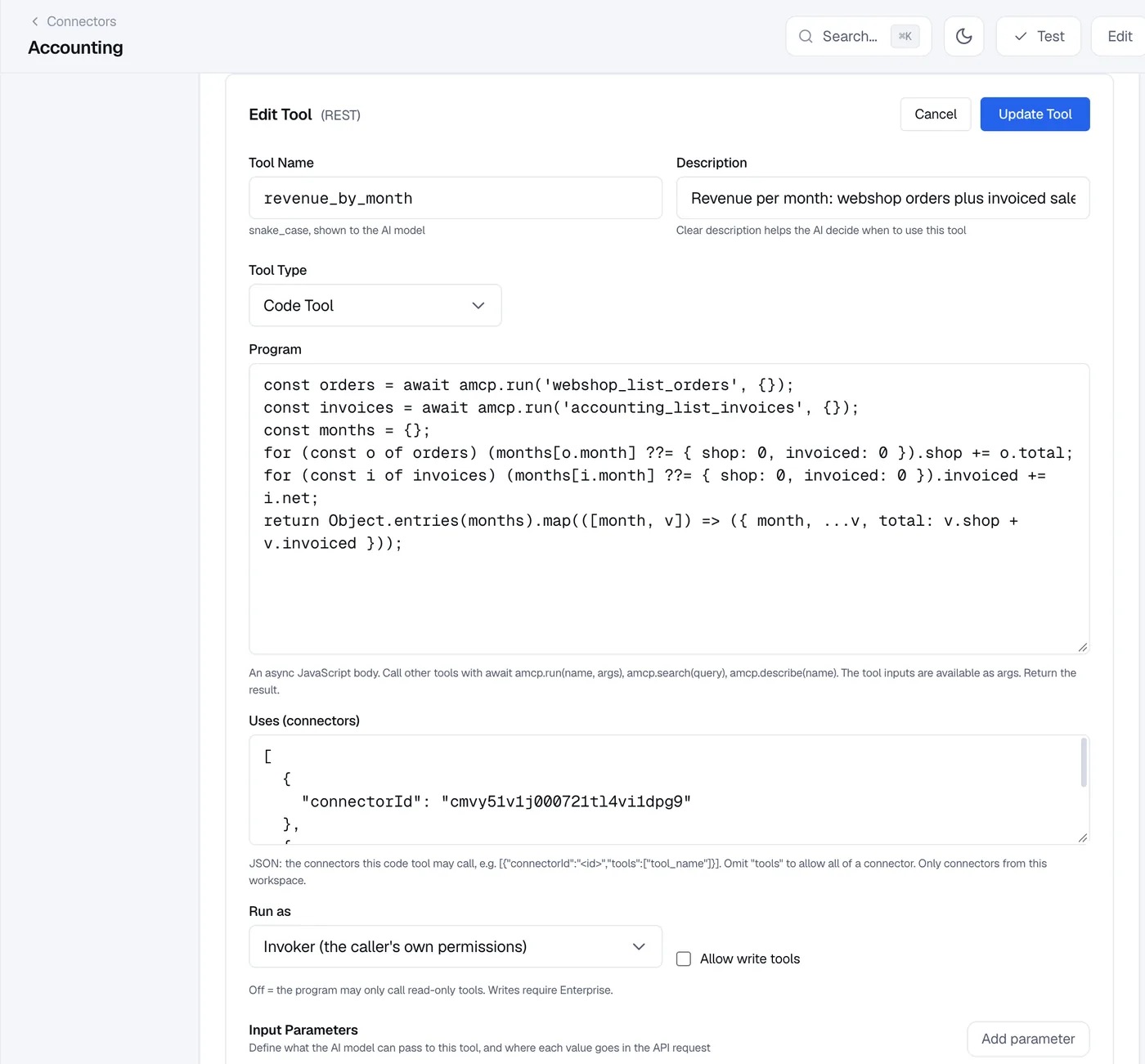
Open the weclapp connector, go to MCP Tools and click Add Tool. Set Tool Type to Code Tool, then fill in:
- Tool Name:
customer_overview - Description: "Overview of one customer before a call: the last 10 orders from the ERP, the CRM account and its open deals. Pass the company name or part of it." The description is what the AI reads to decide when to call the tool, so say what it returns.
- Input Parameters: one parameter,
customer, type string, required.
Step 5 — Write the program
The Program is the body of an async JavaScript function. The tool's inputs are in args; amcp.run(name, args) calls another tool and returns its result as parsed JSON (and throws if the tool fails). Whatever you return is what the AI receives.
// Input: args.customer, a company name or part of it.
const name = String(args.customer ?? '').trim();
if (!name) return { error: 'Pass a customer name.' };

// ERP (weclapp): the customer, then its latest sales orders.
const parties = await amcp.run('weclapp_list_customers', {
  filter: `company-ilike=%${name}%`,
  pageSize: 5,
});
const customer = (parties.result ?? [])[0];
if (!customer) return { error: `No customer matching "${name}" in the ERP.` };

const orders = await amcp.run('weclapp_list_sales_orders', {
  filter: `customerId-eq=${customer.id}`,
  sort: '-orderDate',
  pageSize: 10,
});

// CRM (HubSpot): the company record and its open deals.
const companies = await amcp.run('hubspot_search_objects', {
  object_type: 'companies',
  query: customer.company,
  properties: ['name', 'domain', 'hubspot_owner_id', 'lifecyclestage'],
  limit: 1,
});
const company = companies.results?.[0];

let deals = [];
if (company) {
  const found = await amcp.run('hubspot_search_objects', {
    object_type: 'deals',
    filter_groups: [{ filters: [
      { propertyName: 'associations.company', operator: 'EQ', value: company.id },
      { propertyName: 'hs_is_closed', operator: 'EQ', value: 'false' },
    ] }],
    properties: ['dealname', 'amount', 'dealstage', 'closedate'],
    limit: 20,
  });
  deals = found.results ?? [];
}

// Only this goes back to the model.
return {
  customer: { number: customer.customerNumber, name: customer.company },
  lastOrders: (orders.result ?? []).map((o) => ({
    number: o.orderNumber, date: o.orderDate, status: o.status, net: o.netAmount,
  })),
  crm: company
    ? { owner: company.properties.hubspot_owner_id, stage: company.properties.lifecyclestage }
    : null,
  openDeals: deals.map((d) => ({
    name: d.properties.dealname, amount: d.properties.amount,
    stage: d.properties.dealstage, close: d.properties.closedate,
  })),
};
Field names are the ones the weclapp and HubSpot APIs return. Before you rely on a field, run the underlying tool once in its Test panel and look at the result; inside the program, await amcp.describe('weclapp_list_sales_orders') returns a tool's input schema.
A note on the join. This program matches the CRM company by name, which is good enough for a briefing. If you store the ERP customer number in a HubSpot property, filter on that instead and the match is exact.
Step 6 — Declare what the program may use
Uses (connectors) lists the connectors, and optionally the exact tools, the program may call. Paste the two ids from step 3:
[
  { "connectorId": "<weclapp connector id>", "tools": ["weclapp_list_customers", "weclapp_list_sales_orders"] },
  { "connectorId": "<hubspot connector id>", "tools": ["hubspot_search_objects"] }
]
Naming the tools is optional (without "tools" the whole connector is allowed), but a short list makes the tool easy to review. Only connectors of the same workspace are accepted. A tool outside this list fails with an error, even if the user could call it directly.
Step 7 — Run as invoker, read-only
- Run as: Invoker (the caller's own permissions). Every inner call is checked against the role of the person using the tool. A rep without HubSpot access gets an error on the HubSpot part, exactly as if they had called HubSpot directly. (Definer runs with the author's curation instead, like a stored procedure; it is for administrators and Enterprise.)
- Allow write tools: off. The program may then call only read-only tools;
weclapp_list_*andhubspot_search_objectsare reads. Write-enabled code tools need Enterprise.
Click Create Tool.
Step 8 — Try it from Claude or ChatGPT
Check the program first with the tool's Test button in the dashboard: it runs the code through the code runner, with the same rules as a real call. Then try it from an AI client connected to the MCP server. The tool is available on every server that has the weclapp connector and code mode turned on. Reconnect or refresh the tools in your AI client and ask:
"I'm calling Lindenhof Bau in ten minutes. What did they order recently, who owns the account, and are there open deals?"
The assistant calls customer_overview once and writes the briefing from the compact result, instead of reading full order lists and CRM records. If something is wrong, the tool result says what: a call outside Uses ('hubspot_search_objects' is not a tool this code tool can use), an error returned by the API, or a timeout. Fix the program, save, and ask again.
What happens on every call
- One run, one record. Each call of the tool is recorded as a code run, and every tool call the program makes is in the audit log like any other call, with the user.
- Limits. A run may take up to 10 seconds, make up to 500 tool calls (16 at a time) and return up to 1 MB. A program that exceeds a limit stops with a clear error and affects nothing else.
- No nesting. A code tool cannot call another code tool.
- Only on your servers. Code tools are served on the workspace's own MCP servers, never on the shared
/mcpendpoint.
Plans
Saved code tools per edition, as announced with v0.52: Community 3, Starter 5, Team 20, Enterprise unlimited. Write-enabled code tools and "run as definer" are Enterprise. Compare plans.
FAQ
Do I need to know JavaScript?
Basic JavaScript is enough: await, objects, map and filter. You can also let the agent draft the program and propose it as a tool for you to review.
Can the program call an external API directly? No. It has no network access. It can only call the MCP tools listed in Uses; to reach another API, add it as a connector first.
Which connector should the code tool live on? Any connector of the ones it uses; the tool shows up wherever that connector is assigned. Pick the one whose audience should get the tool.
Related
- What is MCP code mode?
- Secure code execution for AI agents: how the isolated runner works
- Code mode recipes: monthly revenue, invoice reconciliation, 100 price lookups
- The agent proposes a code tool, the admin approves it
- Run your ERP from AI: weclapp
- Deploy AnythingMCP with Docker Compose
- Connect weclapp and HubSpot to Claude
Was this guide helpful?